

We believe that everyone deserves a reliable internet connection at home. Whether you’re choosing a new deal, are worried about costs or want to make your WiFi work better, these tips can help.
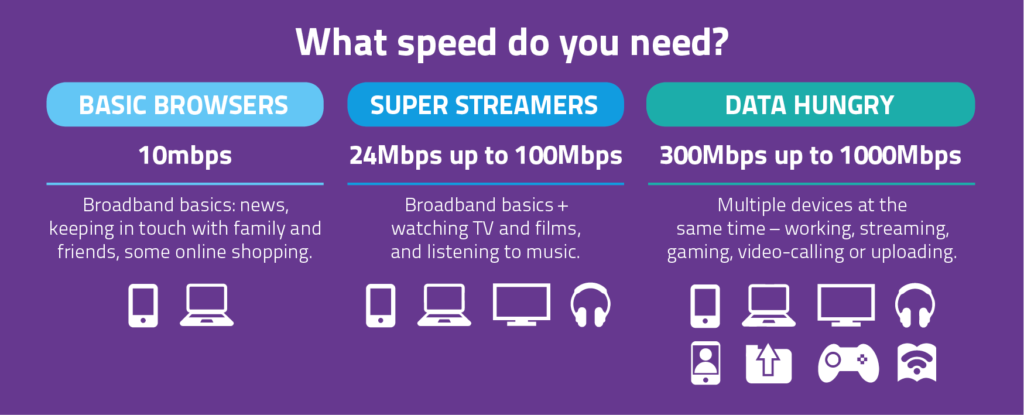
What speed do you really need?
You don’t always need the fastest or most expensive broadband package. The right page for you depends on:
- How many people live in your home
- What you each do online (email, TV streaming, gaming, video calls etc.)
- How often you’re online at the same time
You can use this simple tool to check the speed that suits your household: What Internet Speed Do I Need? UK Bandwidth Calculator
Affordable deals
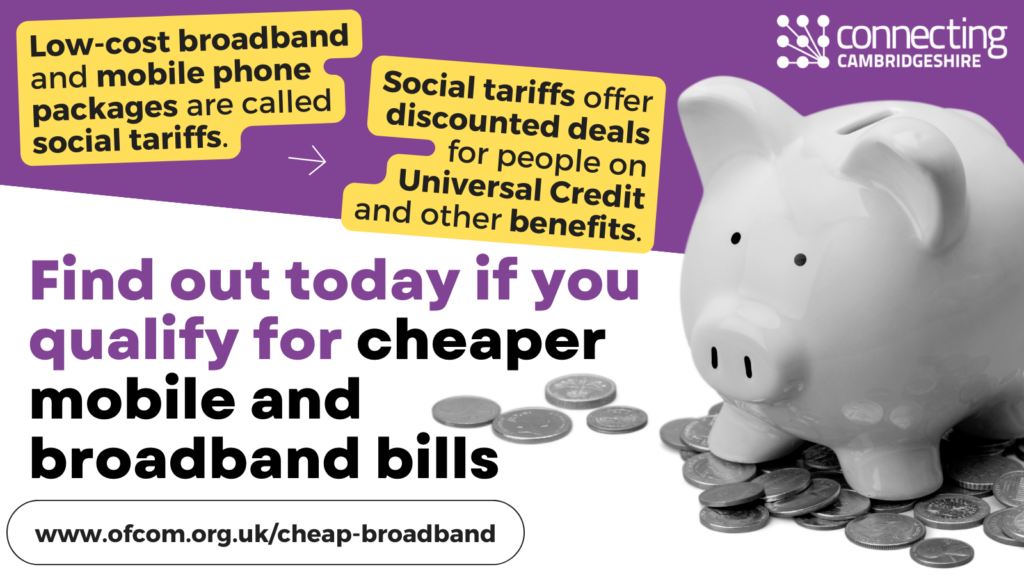
Social tariffs
If you receive certain benefits, you may be able to get low-cost broadband from major providers at around 10-20 per month. These offers are known as ‘social tariffs’.
Social tariff offers are:
- Cheaper than standard packages
- Just as reliable as normal broadband
- Flexible, allowing you to leave early without fees
- Available from well known providers like BT, Vodafone, Sky and others
You can check if your provider offers a social tariff using their website, or by calling their customer service team.
For a full list of broadband social tariffs, use the list provided by Ofcom by clicking this link: Social tariffs: Cheaper broadband and phone packages
Price comparison sites
If a social tariff isn’t right for you, or you want to compare your options, price comparison websites can help you find affordable deals in your area.
These sites are free to use, and let you:
- Compare prices, contract lengths and speeds
- Find special deals
- Filter by the speed you actually need
- Check availability in your area
We suggest:
And click on the image below to visit Ofcom’s cheaper broadband and phone packages information:
Tips on how to improve your broadband speed
You can check your current broadband speed by following these steps below:
- Make sure you’re connected to your home WiFi
- Open a speed-test website e.g. Speedtest by Ookla – The Global Broadband Speed Test
- Compare the result to the speed you’re paying for
If your speed is close to what you’re paying for, then your connection is working as expected.
If it still feels slow, it may be due to:
- Your WiFi signal (for example, thick walls or distance from the router)
- Using too many devices at once
- Older devices struggling with newer websites
If your speed is lower than it should be, you can try:
- Restarting your router
- Moving your router to an open space, away from thick walls, TVs and microwaves
- Contacting your provider
BroadbandSavvy have more tips that can help. You can read: How To Improve Broadband Speed | Get Faster Internet
If your speed isn’t right for your household, you may want to switch to a different package that fits your needs.
Key terms explained
Helpful explanations for common words when it comes to talking about broadband:
The amount of data your connection can handle at once. A busy home with many devices needs a higher bandwidth.
Your internet connection at home. It comes through phone lines, fibre cables, or mobile signals. The type of broadband you have affects your speed and reliability. Full fibre broadband is usually faster and more stable than broadband that uses old copper lines.
Any piece of equipment you use to get online, such as a smartphone, laptop, tablet, games console or smart speaker.
Megabits per second (Mbps) is the standard unit of measurement for internet speed. A higher number means a faster connection.
The small box given by your internet provider that sends out your WiFi signal. It converts your broadband line into a signal your device can use. Moving your router to an open space can improve the speed.
A cheaper broadband deal for people on certain benefits
Watching TV. Films or videos online (like Netflix, iPlayer). It requires a steady internet connection.
Wireless internet in your home. It uses radio waves to connect phones, laptops and smart TVs to the internet without cables. Walls, floors and other devices (like microwaves) can slow it down, so where you place your router makes a difference.
If you need further advice on getting better broadband, please contact the Connecting Cambridgeshire team by email on contact@connectingcambridgeshire.co.uk stating your address, postcode, and situation, so we can investigate for you.